


What's New?
Web: November | 2025
Updated at 3/9/2026
_____________
Defect Detection
Responding to requests from our clients, we’ve introduced three updates to DynaDetect, Machine Viewer, and Spot Viewer that make defect monitoring even more efficient and intuitive.
DynaDetect
Asset indicators are back on the DynaDetect home screen. When accessing DynaDetect, you’ll now see a clear and quick overview of monitored assets, assets with critical defects, assets with manageable defects, and assets without diagnostics. You can also use the “Show Indicators” and “Hide Indicators” options to customize the display of information as you prefer.

Machine Viewer
The second update is that Machine Viewer now displays subassembly and component information directly on the screen. Clicking on these elements reveals details in the new layout, along with a quick-access button to DynaDetect for monitoring other equipment. This brings more efficiency to your asset management.

Spot Viewer
In Spot Viewer, defects are now shown by severity directly on the screen. When selecting a defect, the new quick analysis tab displays detailed information about the diagnosis at that specific point, providing more context for your decision-making. We’ve also added a quick-access button to DynaDetect for faster monitoring of other assets.

These improvements were designed to make your monitoring experience more intuitive and efficient, contributing to a faster and clearer operation in your daily routine.
Dynamox Lens
Information at your fingertips
The new “Learn More” button in the upper-right corner provides all the details about Dynamox Lens settings. Quickly and easily learn everything about installing and configuring Dynamox Lens.

Thermographic scale adjustment
The thermographic scale is now even better, offering more control in your thermal analyses. The temperature scale automatically follows the maximum and minimum values of the thermogram. With this update, you can manually adjust these limits using the cursor or set custom values, ensuring much more accurate and personalized analyses.

Spot settings
FTF Calculation by bearing race
Now, you can choose whether the bearing’s rotating race is internal or external. Based on this setting, the system calculates the cage fault frequency, updating markers and metrics for even more accurate and reliable analyses.

Spot Viewer
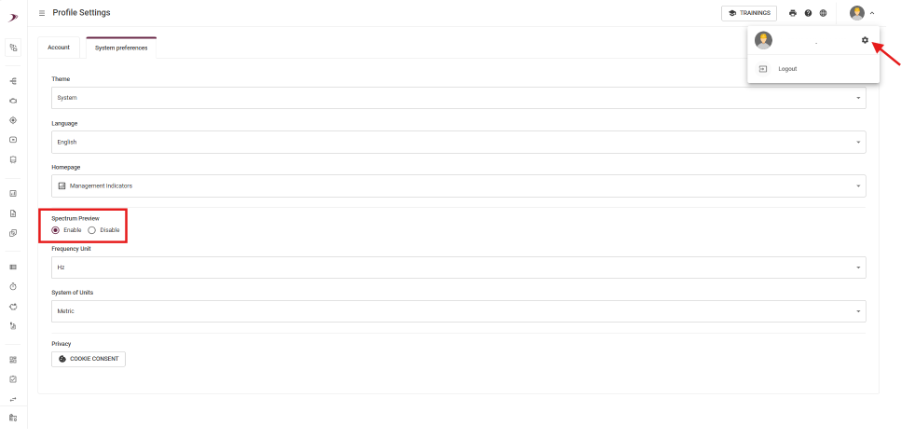
Choose to enable or disable spectrum preview
Responding to customer requests, you can now choose whether to display the spectrum preview on the Spot Viewer screen. In user settings, select Enable (to view) or Disable (to hide).
Additionally, when configuring this preference, you can access the Spectral Viewer page by double-clicking on spectral metric collections.
Axis unification
With axis unification, you now have unified control, highlighting the selected axis in the following contexts:
-Telemetry Charts: Clicking on the axis legend (Velocity / Acceleration) will make the charts respond to your selection, ensuring a unified visual experience.
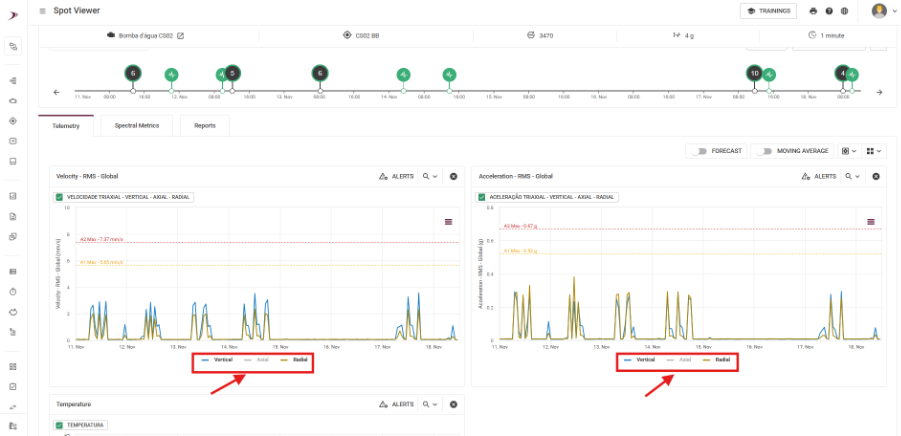
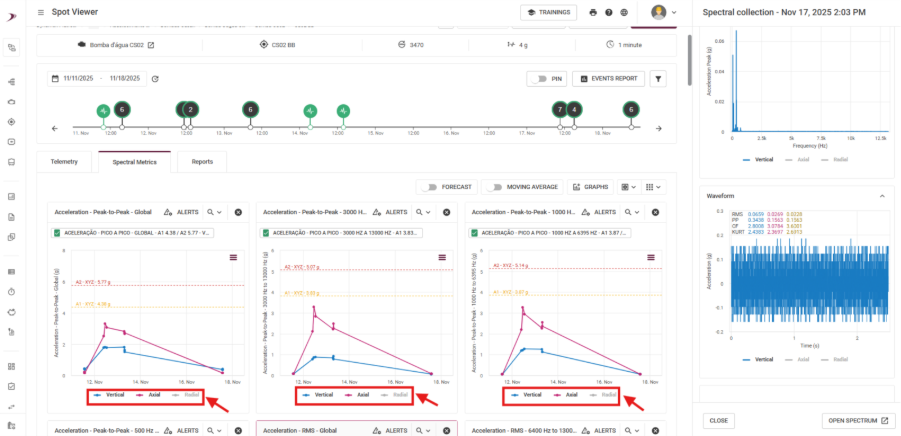
-Spectral Metrics: When selecting a spectral collection, the corresponding axis will be highlighted, while others will appear with reduced opacity. This approach makes it easier to identify the axis under analysis and will be applied consistently across other metrics.
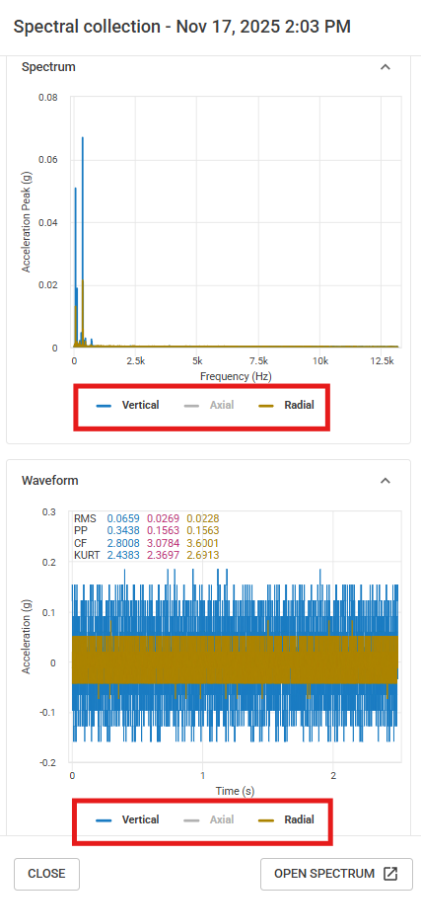
-Spectral Preview: When returning to the spectral preview, selecting an axis will make both charts respond to the selected point. The spectral collection updates to the chosen axis, keeping everything uniform.
Asset Pro
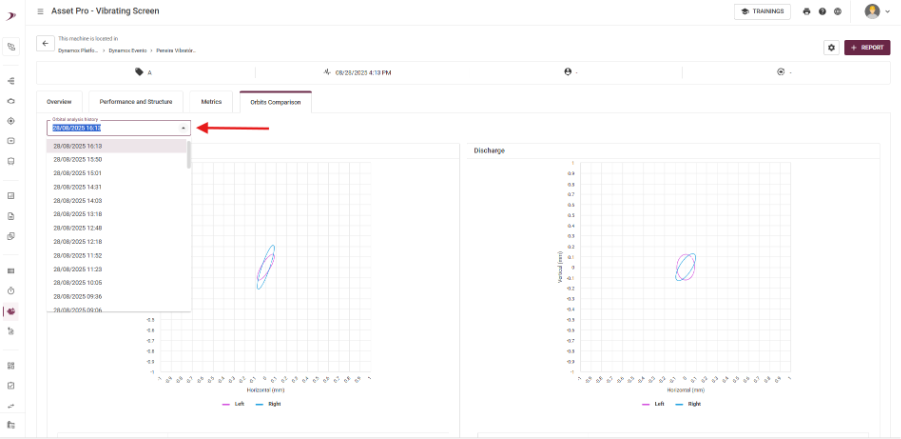
View previous orbits of the vibrating screen
You can now visualize previously calculated orbits. This feature allows you to quickly select past readings and makes it easier to compare them with the current indicator.
Trigger for DynaGateway
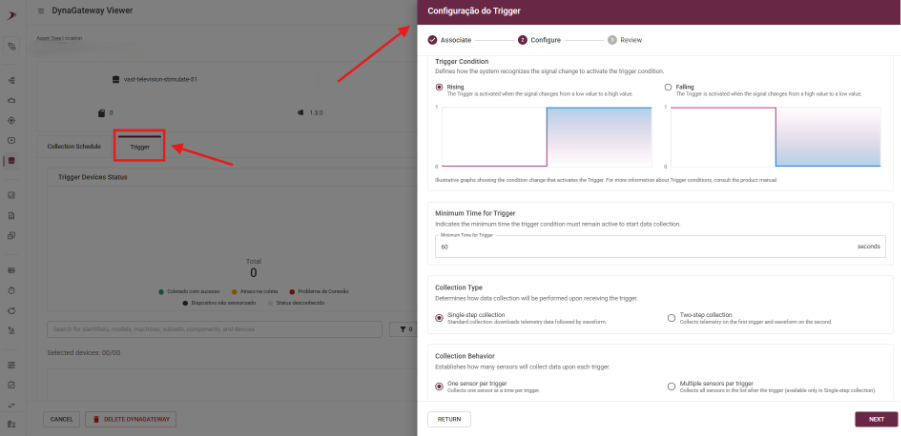
New: Configure Trigger for DynaGateway via Dynamox Platform
You can now configure Trigger for DynaGateway directly on the platform. Easily adjust conditional data collection according to your analysis needs.
⚠️ Important: This configuration is only available for the LTE and IoT versions of DynaGateway!
These improvements were designed to make your monitoring more intuitive and efficient, contributing to a faster and clearer operation in your daily routine.
Do you have questions or want more details about any of these updates?
Contact our team!
See you soon!
Dynamox Team
Back to articles


