


What's New?
Web: June | 2026
Updated at 6/10/2026
Hello,
Stay up to date with the latest features and enhancements we’ve just launched on the Dynamox Platform.
Explore what’s new and leverage these updates to their fullest!
_________________________________________
1. Security First: Configure MFA for your Dynamox Web and Mobile Platform Access. Empowering data protection, the Dynamox Platform now features Multi Factor Authentication (MFA).
How it works: Upon entering your credentials on the login screen, a 6 digit code will be sent to your email to verify your identity.
Seamless access: The system authorizes your device for 180 days, streamlining your workflow before requiring a new validation.
Important: The code remains valid for 60 seconds. If it expires, simply request a resend.
This extra protection layer is mandatory for non-SSO users, guaranteeing your asset data remains continuously secure.
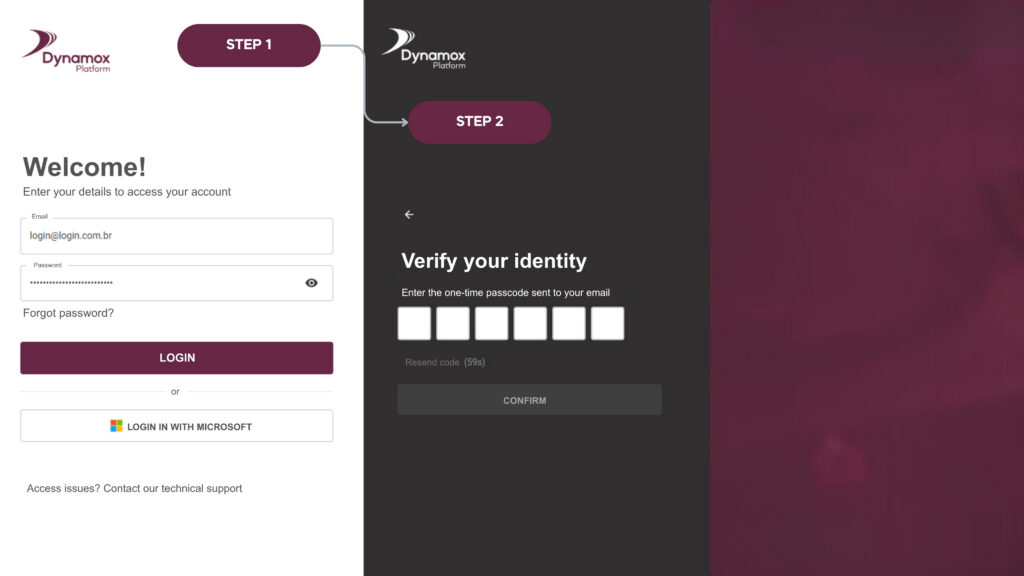
This extra protection layer is mandatory for non SSO users, guaranteeing your asset data remains continuously secure.
_______________________________________
2.StreamlinedIntegrations: Dynamox API Connector
Connecting Dynamox data to BI tools (PowerBI), corporate dashboards, or industrial systems is now more seamless and stable with the new Dynamox API Connector.
Static Keys: API keys are now linked directly to an application, providing a longer usage period compared to the previous one-hour dynamic tokens. This eliminates the need for token refresh routines during API usage.
Full Autonomy: Administrators can seamlessly create, manage, and revoke keys directly within the platorm, setting expiration dates of up to one year.
Advanced Security: The key is displayed only once upon creation. For security purposes, it cannot be viewed again, ensuring only the integration owner has access.
User-Friendly: A straightforward authentication header replaces the complex hourly expiring token logic, ensuring compatibility with virtually any market software.
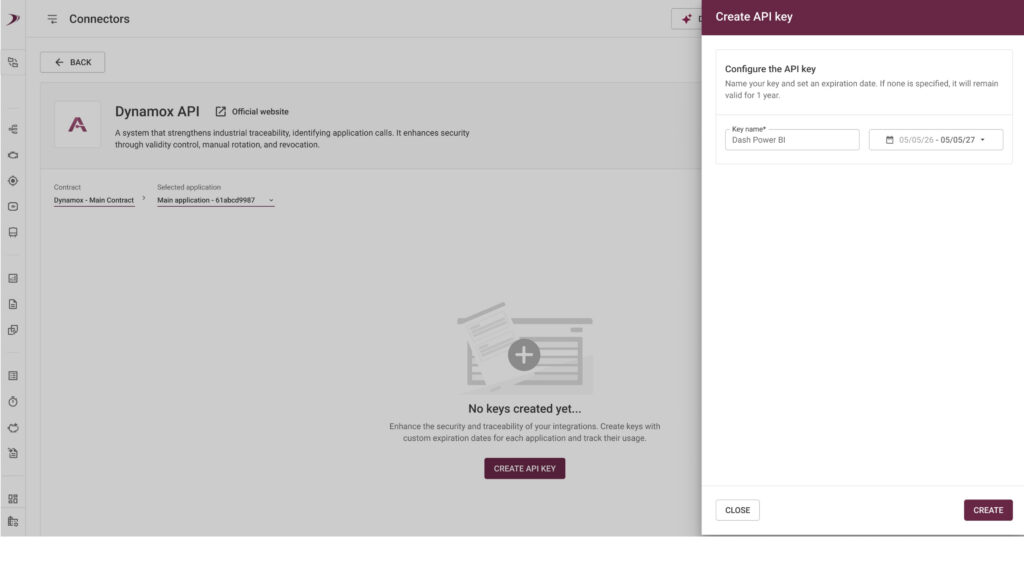
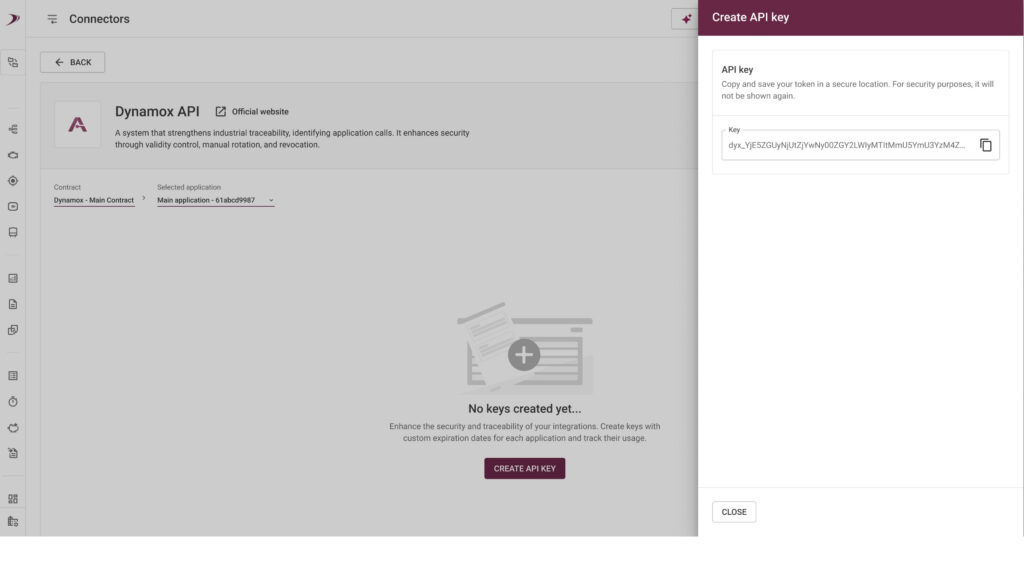
How to start: Access the Administration > Connectors menu, locate the Dynamox API card, and request your connection.
Ensure continuous integrations and uninterrupted dashboards, transforming raw data into strategic decisions with full autonomy and security.
________________________________________
3. RealContext:Visible Light Image in Dynamox Lens
Thermal analysis now leverages visual support from the real scene. The new Visible Light Image feature delivers total clarity regarding which component is being monitored in Dynamox Lens.
Slider Overlay: Toggle between the thermogram and the actual asset photo using an opacity control, streamlining the exact identification of hotspots.
Heat Highlight: Enable the highlight mode to make cold areas transparent, revealing the real image only where the temperature exceeds the defined threshold.
Comparative Analysis: Leverage linking tools to compare different captures or modes (image vs. thermogram) side-by-side with precise alignment.
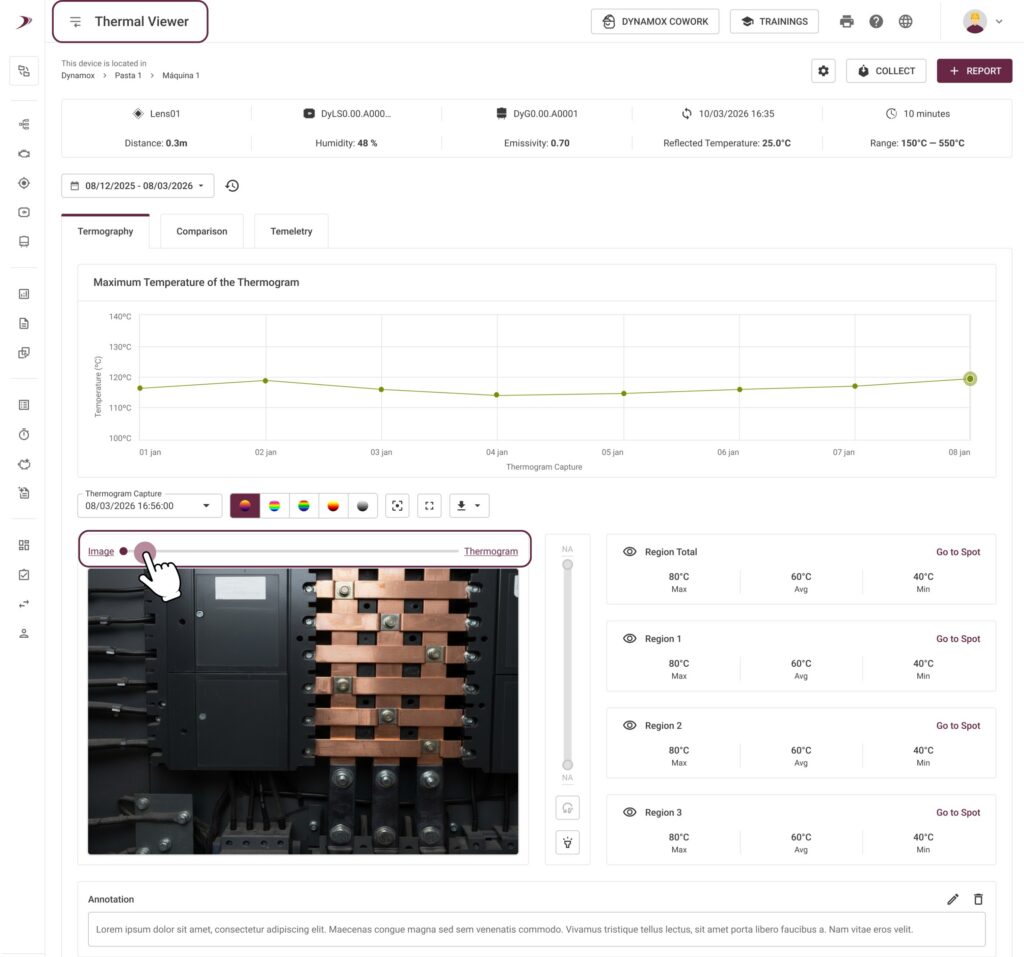

Eliminate diagnostic uncertainties and accelerate report generation, ensuring interventions target the exact location of the detected issue.
_______________________________________
4. Hour Meter Management: Everything in One Place
The hour meter management workflow is now optimized, making the maintenance planner’s daily routine significantly more agile and intuitive.
Total Centralization: Create, edit, configure hour meters, and reset hours directly on the module page, eliminating the need to navigate across different platform screens.
Smart Configuration: The system now provides an automatic suggestion for the operating level. It analyzes the asset’s vibration history and calculates the ideal value to identify when the machine is running or idle.
Streamlined Management: Side drawers enable quick adjustments to base spots and metrics, empowering users to maintain focus on analyzing asset availability.
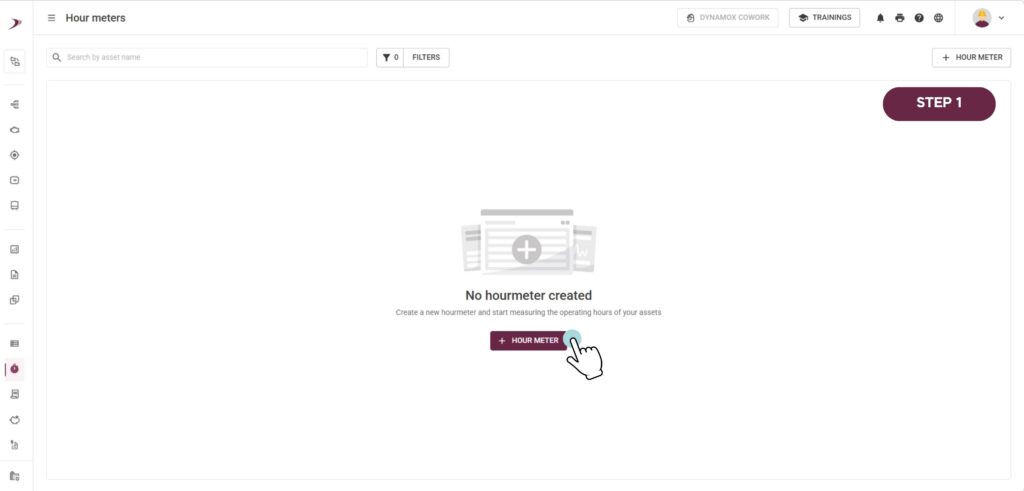
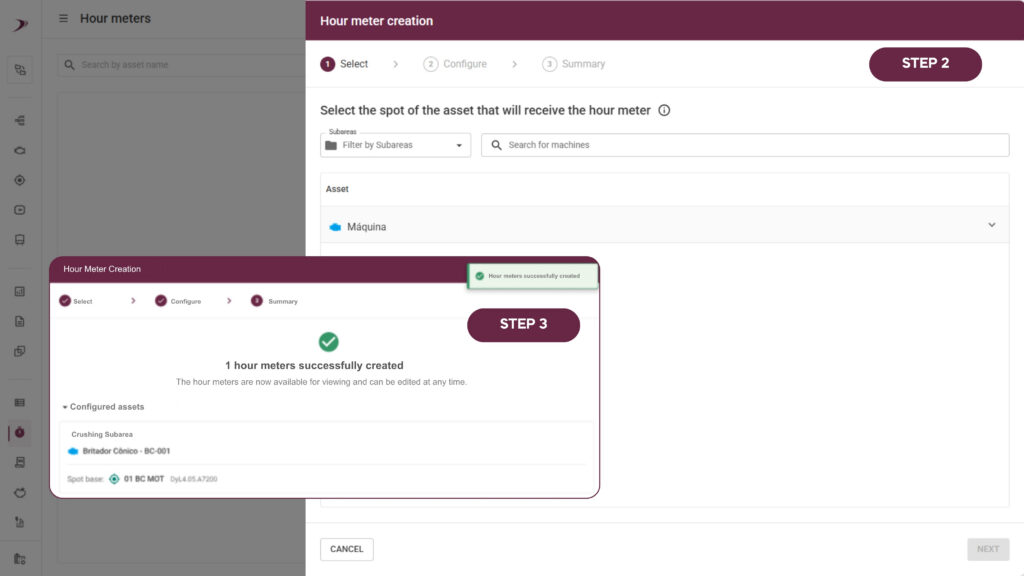
Minimize manual configuration time and drive highly accurate utilization data for your preventive maintenance plan.
__________________________________________________
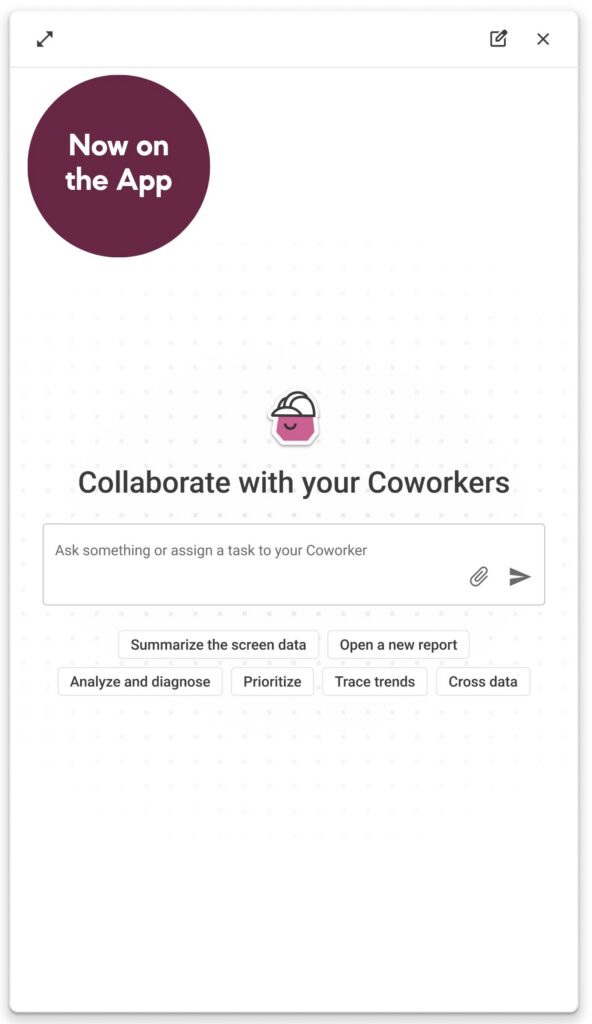
5. Dynamox Cowork via App
Seamlessly access and interact with Dynamox Cowork directly through the Dynamox App.
Back to articles


